🚀 Launching May 26, 2026 at 12:31 PM IST

Programmable HTML dashboards
for your multi-monitor wallpaper.
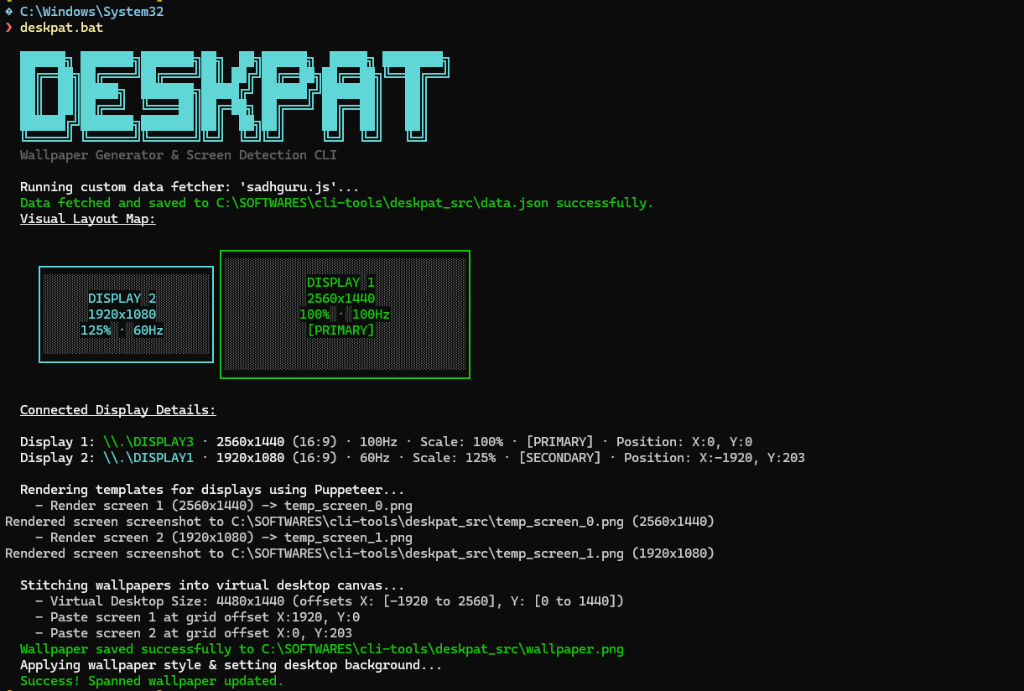
Deskpat is an open-source CLI that renders HTML/CSS templates into a spanned desktop wallpaper across mixed-resolution displays. Refresh it on login or on a schedule to show system stats, checklist tasks, scripts, and custom telemetry without running desktop widgets.
Windows
✓ Already Available
macOS
Coming Soon (PRs Welcomed)
Linux
Coming Soon (PRs Welcomed)
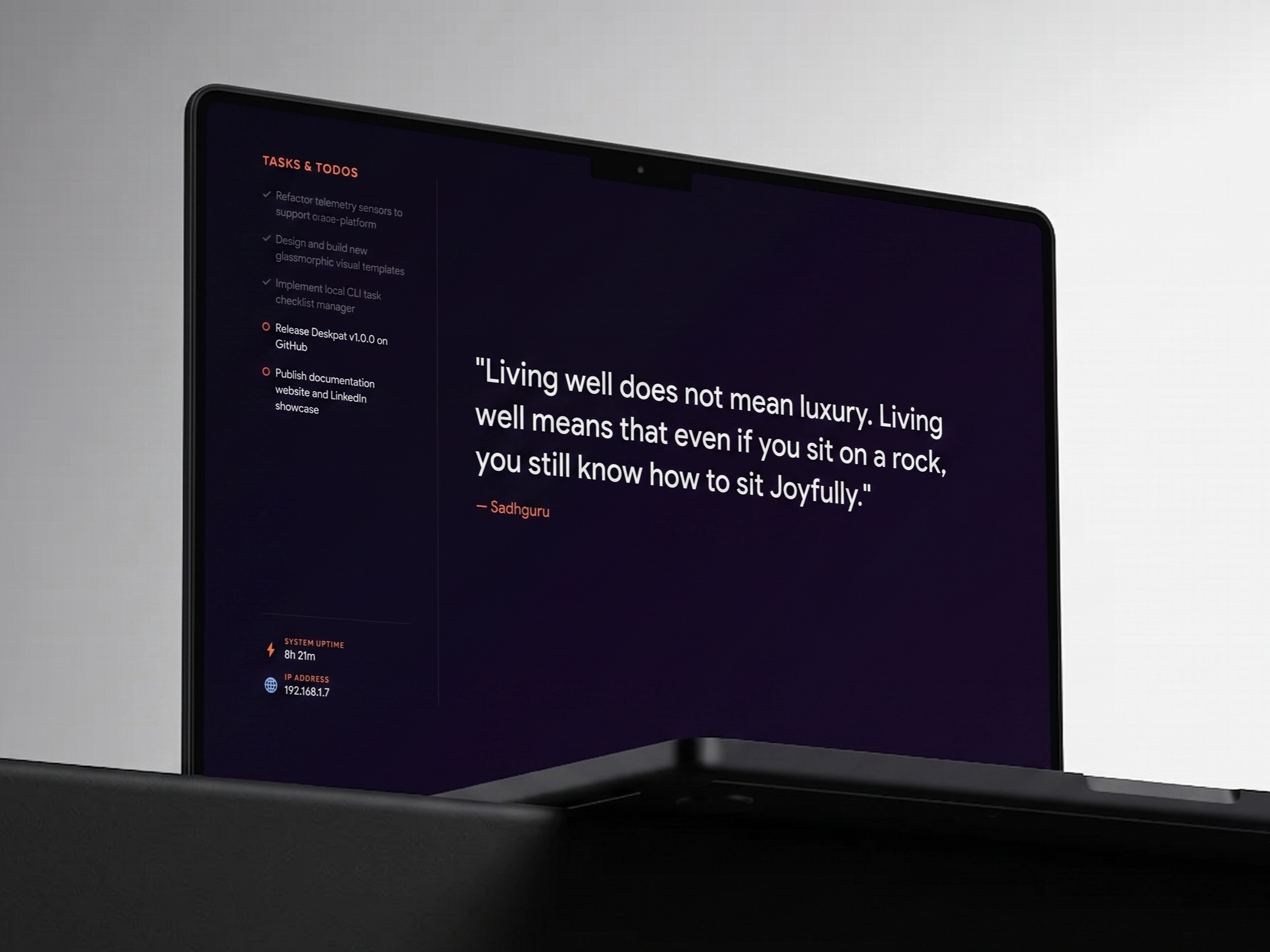
Minimalist Command Center
deskpat-dashboard
# Add tasks using CLI todo controller
$ deskpat todo add "Refactor telemetry sensors"
# [✓] Task added successfully
$ deskpat todo add "Release Deskpat v1.0.0"
# [✓] Task added successfully
$ deskpat todo done 1
# [✓] Task 1 toggled to completed
$ deskpat todo list
Tasks:
[✓] 1. Refactor telemetry sensors
[ ] 2. Release Deskpat v1.0.0
$ deskpat todo add "Refactor telemetry sensors"
# [✓] Task added successfully
$ deskpat todo add "Release Deskpat v1.0.0"
# [✓] Task added successfully
$ deskpat todo done 1
# [✓] Task 1 toggled to completed
$ deskpat todo list
Tasks:
[✓] 1. Refactor telemetry sensors
[ ] 2. Release Deskpat v1.0.0
<!-- deskpat_src/templates/default/template.html -->
<div class="telemetry-card">
<h2>System Statistics</h2>
<p>IP: <span id="ip">--</span></p>
</div>
<script>
// Access telemetry properties during render:
const data = window.wallpaperData;
document.getElementById('ip').innerText = data.system.ip_address;
</script>
<div class="telemetry-card">
<h2>System Statistics</h2>
<p>IP: <span id="ip">--</span></p>
</div>
<script>
// Access telemetry properties during render:
const data = window.wallpaperData;
document.getElementById('ip').innerText = data.system.ip_address;
</script>
# deskpat_src/sensors.py
@sensor("disk_free_gb")
def get_disk_free():
import shutil
total, used, free = shutil.disk_usage("/")
return round(free / (1024**3), 1)
# Available inside template HTML as:
# window.wallpaperData.system.disk_free_gb
@sensor("disk_free_gb")
def get_disk_free():
import shutil
total, used, free = shutil.disk_usage("/")
return round(free / (1024**3), 1)
# Available inside template HTML as:
# window.wallpaperData.system.disk_free_gb
Quick Installation
powershell
# Clone and enter the repository
git clone https://github.com/sharadcodes/deskpat.git && cd deskpat
# Add a task to your CLI checklist
deskpat todo add "Refactor telemetry sensors"
# Recompile templates and refresh your desktop wallpaper
deskpat
Pro-Tip
Add Deskpat to your User Environment Variables in Windows to invoke it directly from any directory without typing .\deskpat.bat.
[Environment]::SetEnvironmentVariable("PATH", $env:PATH + ";C:\SOFTWARES\deskpat", "User")